Open. Save. Done.
Edit documents in your usual applications. Saved changes sync with colleagues who have access.
FEWER CLICKS. MORE PEACE OF MIND.
A shared business drive for your team.
And simple document sharing with your accountant.
Save a file or photograph a receipt. DataServer is designed to get it where it belongs.
Windows & macOS · Documents from your phone, too
DataServer › My company
Your everyday working folder.
Illustration of the proposed service
01 / YOUR COMPANY DISK
No new working environment to learn. You will find DataServer among the folders on your computer.
Edit documents in your usual applications. Saved changes sync with colleagues who have access.
Pick up on another computer. Keep selected folders offline; changes transfer when you reconnect.
Each company has its own space. You decide what belongs with your team, your accountant or in a shared folder.
02 / DOCUMENT SHARING FOR ACCOUNTANTS
A client puts a document in their folder. You find it under the right company. No searching email threads or forwarding attachments.

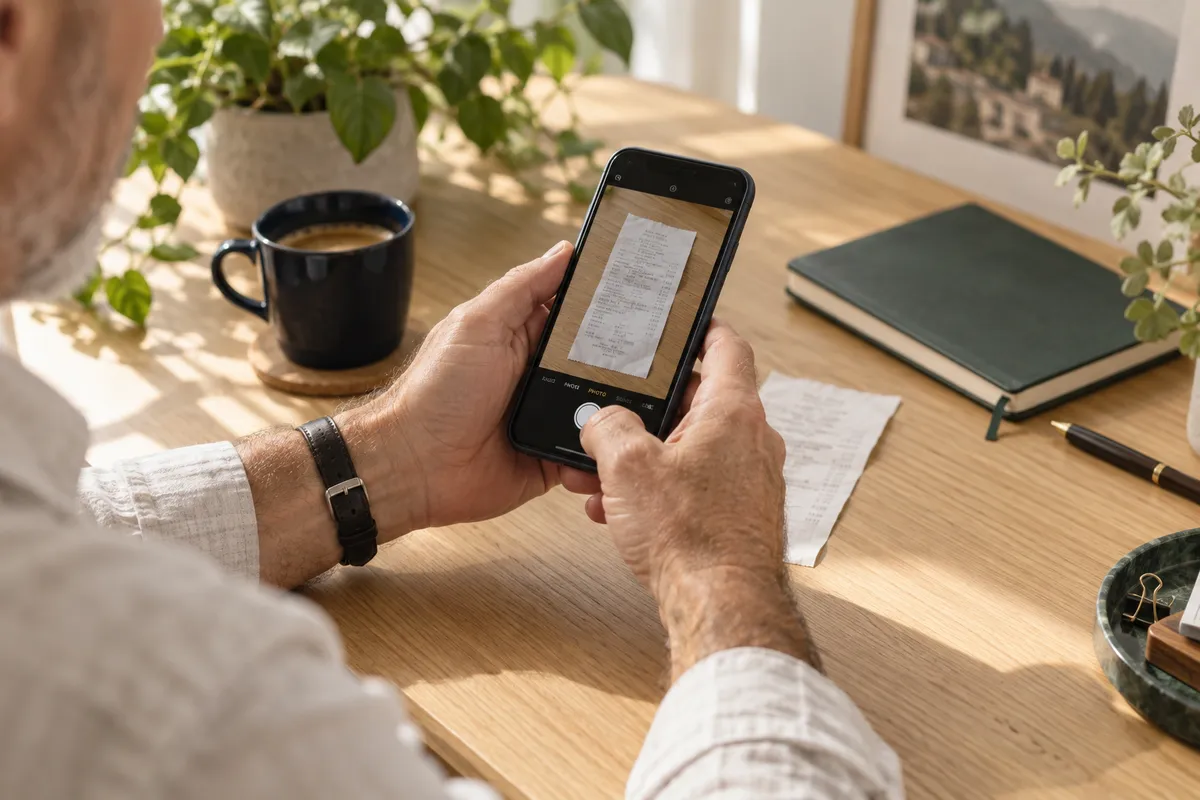 Less paperwork on your mind.
EVEN FOR PEOPLE WHO DO NOT LIKE TECHNOLOGY
No folder to search for and no email to write. Your personal link takes you straight to document submission.
From a shortcut we will set up on your phone.
Or choose an existing photo or PDF.
Confirmation appears after successful storage.
Delivered does not mean booked. Your accountant determines processing and the accounting period.
SIMPLICITY STARTS WITH SETUP
Together, we will identify companies, people and accountants, then set up who needs to see what.
We will set up the disk on your computer and a document link on your phone, then show you everyday use.
The service design includes backups, monitoring and help with access changes or file recovery.
PEACE OF MIND BEHIND THE FOLDER
File history and recovery of deleted data within an agreed retention period. Independent backups add another layer of protection.
Personal accounts, multi-factor authentication and clear permissions. An upload link lets a client submit a document without browsing the folder.
Standard files and an export option. If you change services, we will help hand over your data in a usable format.
We plan notes, procedures and project status in Markdown files. With a Codex connection so the next session can pick up where the previous one left off.
Planned extension. Not part of the first version.
# The next step is already clear.
✓ Decisions saved
✓ Procedures in one place
→ Next time, continue here.
You open a document at the office, update the figures and save it. A colleague with access picks it up on their own computer. There is no new attachment to send and no need to explain which of five copies is current. DataServer is designed to move changes between devices while keeping file work in a familiar environment: File Explorer on Windows, Finder on a Mac, and the applications you already use to edit your documents.
During setup, we will agree on a clear structure such as Documents, Jobs, Shared and Accounting. Folder names should reflect your work so a new colleague can find their way around. Each company will have its own space, with shared folders assigned only to the people who need them. Working across several companies should not mean one confusing directory that everyone can open.
A visible sync status is part of that everyday experience. An online-only file needs a connection; a document selected for offline access remains on the device. If two people edit the same thing at once, the conflict needs to be shown and resolved. We do not promise conflict-free simultaneous editing or a replacement for every feature in an office suite.
Imagine an accounting practice with several clients. Each has a separate folder and the same straightforward way to hand over documents. A client working at a computer saves a PDF invoice directly to their own space. A client with a paper receipt opens their personal link on a phone and sends a photo. The accountant should find both documents under the correct company, without searching email threads and messages spread across different apps.
We propose a simple folder workflow: Received, To process, Processed and From your accountant. These labels help people find their way; they do not replace the accountant's professional judgement. The submission date may differ from the document date and the relevant accounting period. A receipt found late should not automatically be assigned to the wrong month. Classification and processing remain the accountant's responsibility.
The return journey to the client matters just as much. Outputs, a list of required documents or agreed instructions can go into From your accountant, so the client knows where to look. Access for each member of the practice should follow their assigned companies: not every accountant needs to see every client. We plan to validate the precise workflow in an internal pilot before wider use.
Submitting documents often comes with a simple uncertainty: where do I send this, and did it arrive? That is why the personal link should be set up in advance. A business owner opens their shortcut, photographs the whole receipt, checks that it is readable and sends it. There is no company to select, accountant to search for or sharing setting to configure. The destination follows the assigned account or link rather than an address typed by hand.
The photo should show the entire document, including the important details. We recommend good light, a flat surface and a check of the preview before sending. An unreadable image may still need to be replaced or clarified by the accountant. Without a connection, or if a transfer fails, opening the page alone does not mean delivery. Confirmation should appear only after the document has been successfully stored on the server.
An upload link is for submitting documents, not browsing the company's files. An administrator should be able to revoke it when it is no longer needed. Treat it as permission to submit: do not publish it, and request a replacement if it is shared by mistake. The first version focuses on straightforward storage and clear confirmation, without promising automatic extraction, bookkeeping or a statutory archive.
A good start does not mean moving every file at once. First, we will look at the work people actually do: how many devices they use, which folders they share and how they communicate with their accountant. We will select a limited set of documents and agree where the current working version belongs. Original data should be kept until the new workflow has been tested in practice. That helps establish whether the service saves time even for people who are reluctant to learn new tools.
Management also needs to cover ordinary business changes. A colleague joins, an accountant changes or a computer is replaced. These situations should not be handled by giving everyone the same password. The design uses personal accounts, assigned folders and the ability to revoke future access. Copies that have already been downloaded remain on the device; disabling an account cannot remotely erase them.
Version history can help with an accidental edit, while an independent backup supports recovery from a larger problem. Retention periods and the recovery process must be agreed and tested. We also want a usable export when leaving the service. DataServer is being developed as a managed way to simplify everyday work. Public storage availability, pricing and binding terms will follow once the core scenarios have been validated. Everyone should be able to understand the workflow.
A synchronised business drive is intended to make working files available across devices. Changes can also spread when someone accidentally overwrites or deletes a document. That is why our design separates the shared drive, version history and independent backups. Recovery procedures and retention periods will be agreed before the pilot; file sync alone does not replace a backup.
GOOD TO KNOW
On your computer, you will use a regular folder in File Explorer or Finder and your usual applications. We will help with connection and initial setup.
No. We are designing separate access for each client. Accountants will see only the companies assigned to them. Isolation will be tested before pilot use.
Yes. The design includes a personal upload link. It submits documents to a predefined folder without allowing its contents to be viewed. The link can be revoked.
You can work on files selected for offline access on your computer. Transferring changes and delivering a photo from your phone require a connection. Sync status needs to be visible.
DataServer is in preparation. We will first validate the company disk and document handoff in an internal pilot. A public launch date and prices have not been announced.
FOLDERS FOR ORDER. TIME FOR YOUR WORK.
We are preparing a simpler way to share company files
and hand documents over to accountants.